
Top Tips for Safeguarding Your Camera from Damage
Updated: Apr 26
Owning a camera means investing in a tool that captures moments, memories, and creativity. Protecting this valuable equipment is essential to ensure it lasts and performs well over time. Cameras can be delicate, and even small accidents can cause costly damage. Knowing how to safeguard your camera helps you avoid repairs and replacements, keeping your photography uninterrupted. This post shares practical tips to protect your camera from damage and keep it in top condition.
Use a Quality Camera Bag
A sturdy camera bag is the first line of defense against physical damage. Look for bags with padded compartments that cushion your camera and lenses. These compartments prevent items from bumping into each other during transport. Choose a bag that fits your camera and accessories snugly to avoid unnecessary movement inside.
Consider bags with water-resistant or waterproof materials to protect your gear from rain or spills. Some bags also have reinforced bottoms to shield your camera from drops or rough surfaces. When carrying your camera, always use the bag’s straps or handles to reduce the risk of accidental drops.
Attach a Protective Lens Filter
A lens is one of the most vulnerable parts of a camera. Scratches, dust, or fingerprints on the lens can affect image quality. Attaching a clear protective filter, such as a UV or clear glass filter, can shield the lens surface from scratches and dirt without impacting photo quality.
Filters are relatively inexpensive compared to lens repairs or replacements. They also make cleaning easier since you can wipe the filter instead of the lens itself. Always choose filters that match your lens diameter for a secure fit.
Handle Your Camera with Care
How you handle your camera plays a big role in its safety. Always use both hands when holding your camera to maintain a firm grip. Avoid holding it by the lens or any detachable parts. When changing lenses, do so in a clean, dust-free environment to prevent particles from entering the camera body.
Use the camera strap around your neck or wrist to prevent accidental drops. Never leave your camera unattended in public places or unstable surfaces where it could fall. When setting your camera down, place it on a flat, stable surface with the lens facing up or use a lens cap.
Keep Your Camera Clean and Dry
Dust, dirt, and moisture can damage your camera’s internal components. Regular cleaning helps maintain performance and extends its lifespan. Use a soft brush or air blower to remove dust from the lens and body. Avoid using canned air as it can force moisture inside.
For cleaning the lens, use a microfiber cloth and lens cleaning solution designed for optics. Never use household cleaners or rough materials. After cleaning, store your camera in a dry place with low humidity. If you live in a humid climate, consider using silica gel packs in your camera bag to absorb moisture.
Protect Your Camera from Extreme Conditions
Extreme temperatures and weather conditions can harm your camera. Avoid exposing your camera to direct sunlight for long periods, as heat can damage internal electronics and battery life. In cold weather, batteries drain faster, so keep spare batteries warm in your pockets.
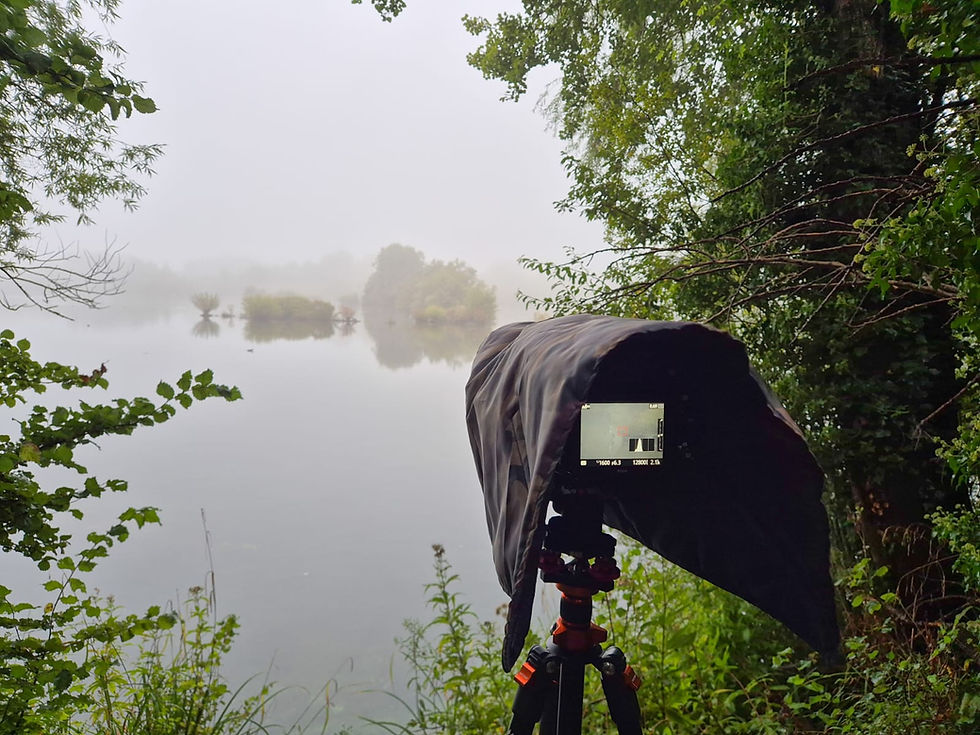
When shooting in rain, snow, or dusty environments, use weather-sealed cameras or protective covers designed for your model. These covers shield your camera from water and dust without blocking access to controls. After exposure to harsh conditions, clean and dry your camera thoroughly before storing it.
Invest in Insurance or Warranty Plans
Even with the best care, accidents can happen. Consider purchasing insurance or extended warranty plans for your camera. These plans cover repairs or replacements in case of theft, accidental damage, or mechanical failure.
Check what each plan covers and choose one that fits your needs. Some insurance policies also cover accessories like lenses and tripods. Having insurance provides peace of mind, especially if you use your camera professionally or travel frequently.
Store Your Camera Properly When Not in Use
Proper storage protects your camera from dust, moisture, and accidental damage. Use protective-covers or bag with padding for storage. Keep your camera in a cool, dry place away from direct sunlight and extreme temperatures.
Remove batteries if you won’t use the camera for an extended period to prevent battery leakage. Store lenses separately with caps on both ends to avoid scratches. Organize your gear neatly to avoid crushing or dropping items when accessing your camera.
Regular Maintenance and Professional Checkups
Routine maintenance keeps your camera functioning smoothly. Check your camera for signs of wear, loose parts, or dust buildup regularly. Clean the sensor and internal components only if you have experience; otherwise, seek professional help.
Schedule professional servicing every year or two, depending on usage. Technicians can clean, calibrate, and repair your camera to maintain optimal performance. Regular checkups also help catch potential issues before they become costly problems.
Protecting your camera requires a combination of careful handling, proper storage, and preventive measures. Using a quality camera bag, attaching lens filters, and keeping your gear clean and dry are simple steps that make a big difference. Avoid exposing your camera to extreme conditions and consider insurance for added security. Regular maintenance ensures your camera stays ready for every shot.


Comments